
Amazon Prime Day, Black Friday & Lightning Deals PPC Control
Lightning Deals guide →Special Periods Mode is designed to manage campaign behavior during high-impact seasonal events such as Amazon Prime Day, Black Friday, Amazon Lightning Deals, Outlet and Flash Deals.
It helps control Amazon Prime ads during Amazon Black Friday, Prime Day, and Lightning Deals traffic spikes without distorting long-term optimization logic.
Control seasonal PPC spikes without distorting long-term campaign logic.
Sellers running Prime Day, Black Friday, Lightning Deals, or other seasonal promotions with abnormal traffic conditions.
Bid behavior during event windows through isolated settings for scaling, limiting exposure, or preserving standard logic.
Better risk control during peak periods, cleaner post-event data, and more intentional seasonal PPC performance.
How Traffic Changes During Special Events
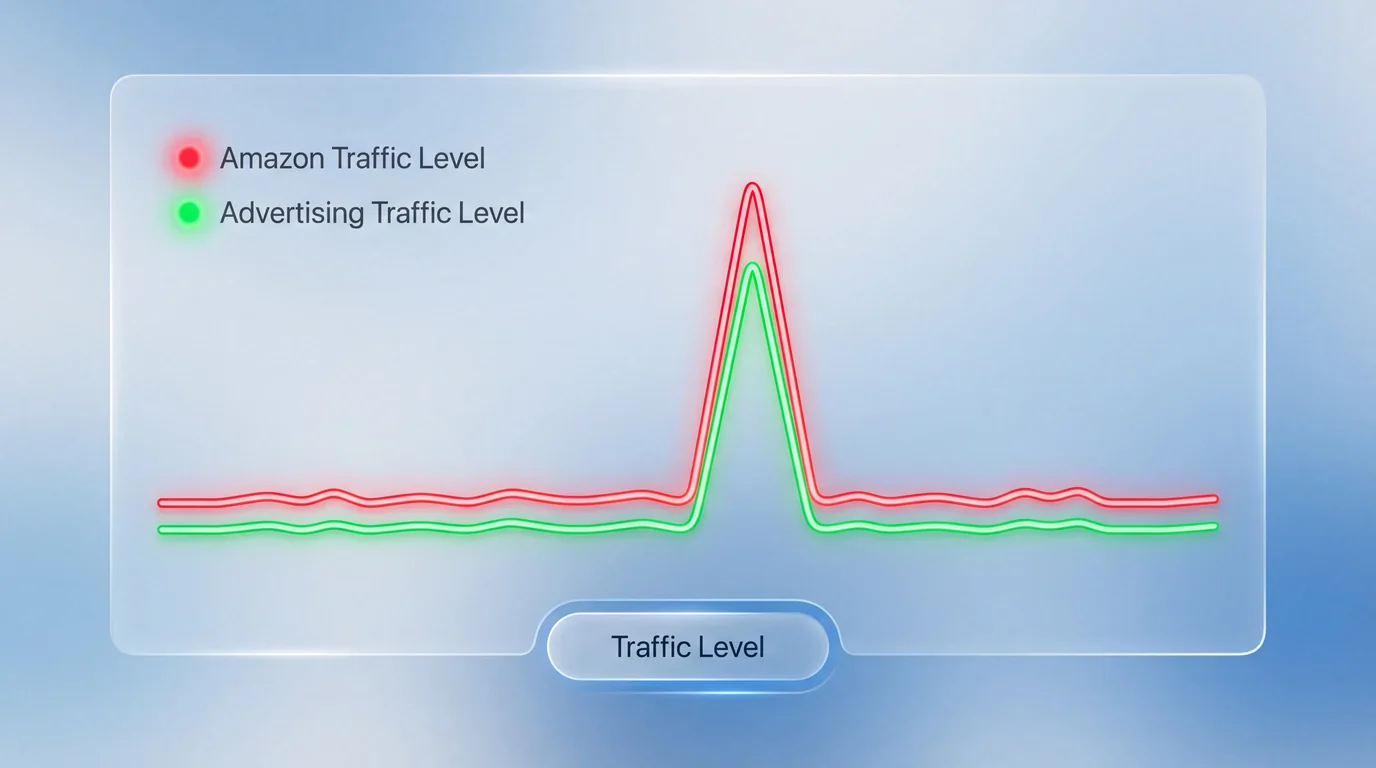
During Amazon Prime Day, Black Friday, and Lightning Deals, traffic patterns shift dramatically:
- Click volume increases sharply.
- CPC inflation occurs due to aggressive competition.
- Conversion rates may temporarily spike or fluctuate.
- Inventory-driven urgency affects buying behavior.
- Budget consumption accelerates.
These periods generate traffic conditions that differ significantly from normal optimization cycles. Standard bid logic that works during regular days may lead to overspending, distorted statistics, or inefficient scaling during these peak events.
For the stock-control side of event prep, see the Inventory guide.
How Special Periods Mode Is Configured
Special Periods Mode allows advertisers to intentionally define how the algorithm should behave during seasonal peaks.
Instead of automatically applying standard optimization logic, the system activates a controlled configuration defined in advance.
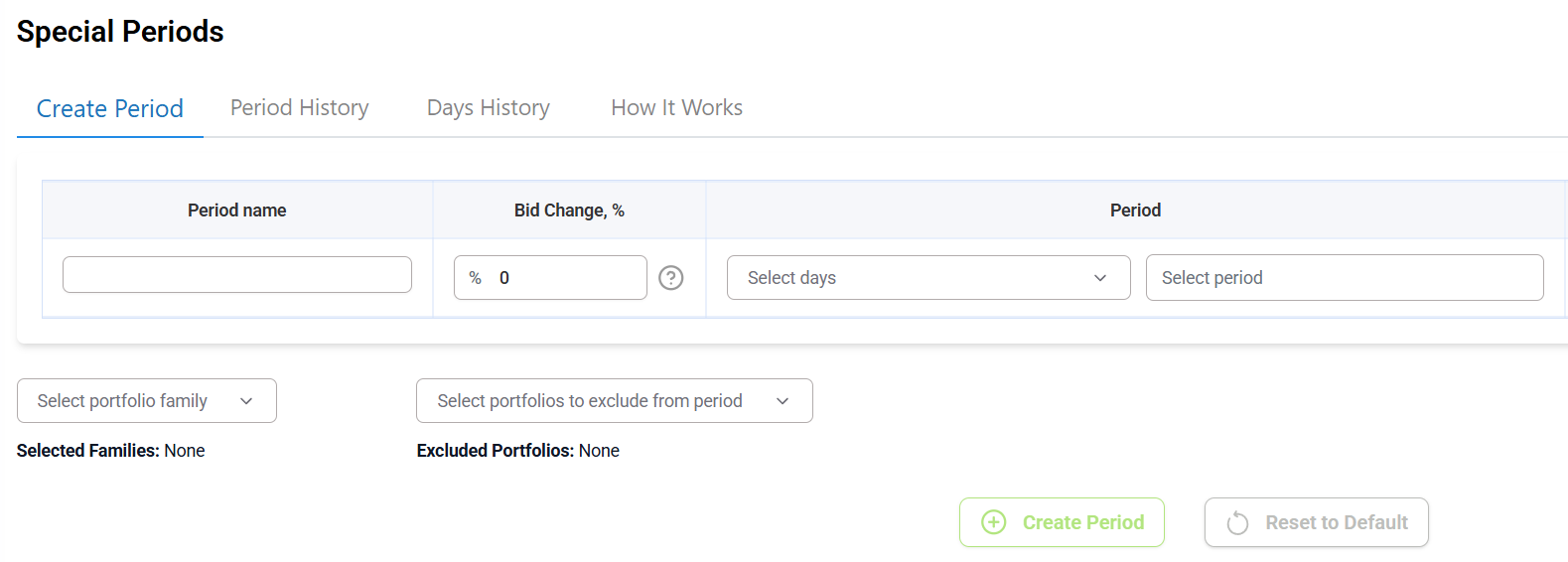
Define the Event Window
The advertiser manually specifies the start and end dates of the event - whether it is Prime Day, Black Friday, a Lightning Deal, or a brand-level promotion.
Once defined, these dates are marked by the system as a Special Period and treated as a separate analytical segment.
Set Algorithm Behavior
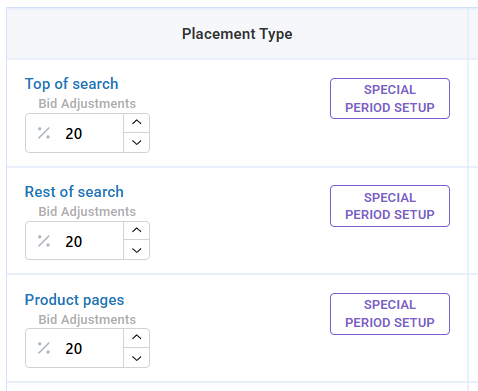
For the selected dates, the advertiser determines how bidding logic should respond to seasonal traffic conditions.
- Increase bids by a defined percentage
- Decrease bids to limit exposure
- Keep bids unchanged and allow standard optimization logic to continue
These settings apply across all selected portfolios and remain active throughout the defined event window.
Statistical Isolation of Special Periods
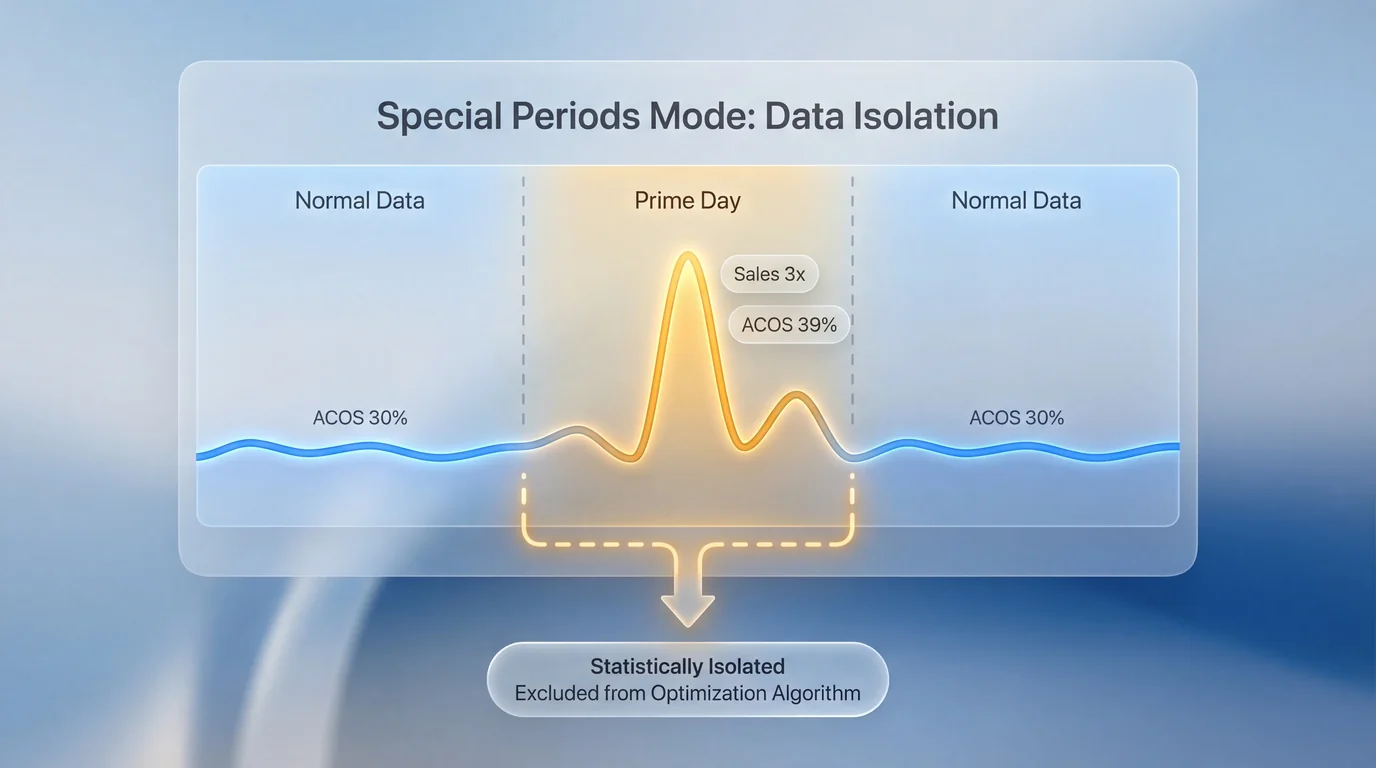
After the event ends, campaign data generated during the special period is excluded from long-term optimization history.
This prevents temporary traffic spikes, abnormal conversion changes, and inflated CPC data from distorting the algorithm's learning process.
Regular optimization resumes using clean historical performance data.
Strategic Impact
Seasonal events create abnormal traffic environments. Special Periods Mode ensures that:
- The advertiser controls risk exposure.
- Campaign logic adapts intentionally.
- Profitability is protected.
- Aggressive scaling is possible when desired.
Rather than allowing peak traffic to distort automated optimization, the system separates special-event behavior from standard campaign learning cycles.
Recommended Reading
Free Trial - No Credit Card
Automate your Amazon PPC today
30-day free trial. SalesFortuna optimizes bids daily, harvests negatives,
and adjusts strategy based on real conversion data.